If you work with PDFs regularly, you have probably reached for an online tool at least once. You Google “merge PDF,” click the first result, upload your files, wait, download the result, and move on. It works. But have you stopped to think about what just happened to your files?
Every time you upload a PDF to an online service, that file travels across the internet to a server you do not control. For a casual flyer or a recipe, that might be fine. For a contract, a tax return, or a client deliverable, it is a different story entirely.
The Problem with Cloud-Based PDF Tools
Cloud PDF tools like Smallpdf, iLovePDF, and Adobe Acrobat Online all follow the same model: upload your file, process it on their servers, and download the result. This workflow introduces several issues that developers and professionals should consider seriously.
Your Files Live on Someone Else’s Server
When you upload a PDF, that file is stored on a third-party server for anywhere from two hours to thirty days, depending on the service. Even after deletion, you have no way to verify the file has actually been purged. Smallpdf retains files for up to 14 days. Adobe keeps them for up to 30 days. That is a long time for a sensitive document to sit on infrastructure you cannot audit.
Speed Depends on Your Connection
Cloud processing means your speed is limited by your upload bandwidth, server load, and download bandwidth. If you are working from a coffee shop, an airplane, or anywhere with unreliable internet, cloud PDF tools become frustratingly slow or completely unusable.
Subscription Costs Add Up
Most cloud PDF tools charge between $7 and $20 per month. That is $84 to $240 per year for the privilege of uploading your files to someone else’s computer. Over three years, you are looking at $250 to $720 spent on what is fundamentally a file transformation.
What Offline PDF Tools Offer Instead
An offline PDF tool runs entirely on your machine. Files never leave your computer, processing happens at native speed, and you pay once instead of monthly. Here is what that looks like in practice.
Complete Privacy by Default
When a PDF tool runs locally, there is nothing to configure for privacy. There are no servers, no uploads, no cloud storage, no data retention policies to read. Your file goes in, the result comes out, and everything stays on your hard drive. This is not a privacy feature you enable. It is the architecture itself.
For developers working with client data, legal documents, or anything covered by GDPR or HIPAA, local processing eliminates an entire category of compliance risk.
Processing Speed Without Limits
Local tools use your machine’s CPU and memory directly. A modern laptop can merge dozens of PDFs, compress large documents, or split a 500-page file into individual pages in seconds. There is no upload wait, no server queue, no download step. The bottleneck is your hardware, and modern hardware is fast.
One Payment, Permanent Access
The economics of offline tools are straightforward. You pay once and use the software indefinitely. No monthly charges, no annual renewals, no feature gates that push you toward a higher tier.
Common PDF Tasks You Can Handle Offline
Offline PDF tools have matured significantly. Modern desktop applications cover the full range of operations that most people use cloud services for.
Merge and Split
Combining multiple PDFs into one document or splitting a large PDF into separate files are the most common PDF operations. Offline tools handle these with drag-and-drop simplicity. You can merge files in any order, split by page ranges, or extract specific pages.
Compress
PDF compression reduces file size for email attachments, web uploads, or storage. A good offline compressor can reduce file sizes by 50 to 80 percent while maintaining visual quality. Since the processing happens locally, you can compress batch files without waiting for sequential uploads.
Convert
Converting between PDFs and images (JPG, PNG) or creating PDFs from image collections are tasks that come up constantly. Offline tools handle PDF-to-image and image-to-PDF conversion without any quality loss from server-side recompression.
Secure
Password protection, encryption, redaction, and permission controls are all operations that arguably should never happen on a remote server. Encrypting a PDF by uploading it unencrypted to a cloud service defeats much of the purpose.
Annotate and Edit
Adding watermarks, page numbers, headers, footers, text overlays, highlights, and annotations are all possible offline. These are operations where latency matters because you want to see results immediately as you adjust settings.
Who Benefits Most from Offline PDF Tools
While anyone can benefit from keeping their files local, a few groups find offline tools particularly valuable.
Developers and engineers frequently handle documentation, specifications, and reports that contain proprietary information. Local processing means you can work with these files without worrying about third-party exposure.
Legal professionals deal with contracts, filings, and discovery documents that are often covered by confidentiality requirements. An offline tool removes the question of whether a cloud service meets those requirements.
Financial professionals working with tax documents, statements, and audit materials have strict data handling obligations. Processing locally simplifies compliance.
Remote workers who travel or work from locations with spotty internet cannot afford to depend on cloud services for basic file operations.
Making the Switch
If you are currently using cloud PDF tools, switching to an offline alternative is straightforward. The file formats are the same. The operations are the same. The main difference is that everything happens on your machine.
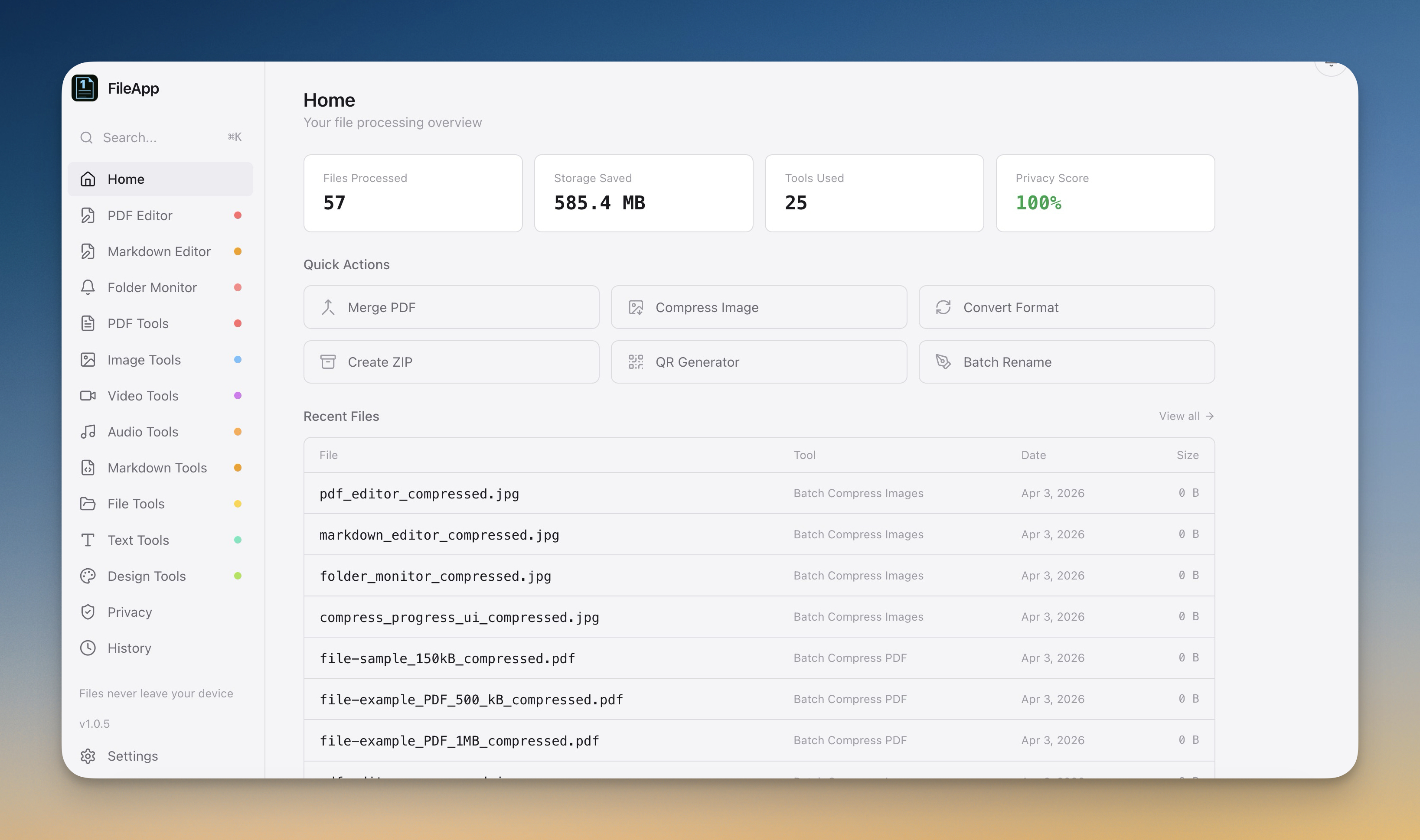
1FileTool includes 39 PDF tools covering merge, split, compress, convert, encrypt, redact, watermark, annotate, and more. Every operation runs 100% offline on macOS, Windows, and Linux. There is a free tier with all tools included (limited to 8 files per day), and Pro licenses start at $29 as a one-time payment.
The next time you reach for a cloud PDF tool, consider whether your files really need to leave your computer. In most cases, they do not.