Smallpdf is one of the most popular online file tools, processing over a billion files per year. It offers a clean interface, a generous free tier, and a wide range of PDF and file operations. It has earned its popularity.
But the cloud-based model that makes Smallpdf convenient also introduces tradeoffs that matter more as your use case becomes more professional, more private, or more demanding. This comparison breaks down how Smallpdf stacks up against 1FileTool, a desktop alternative that processes everything offline.
Architecture: Cloud vs. Local
The fundamental difference between these two tools is where your files are processed.
Smallpdf is a web application. When you use it, your files are uploaded to Smallpdf’s servers in the cloud, processed remotely, and then made available for download. This means you need an active internet connection, and your files travel through third-party infrastructure.
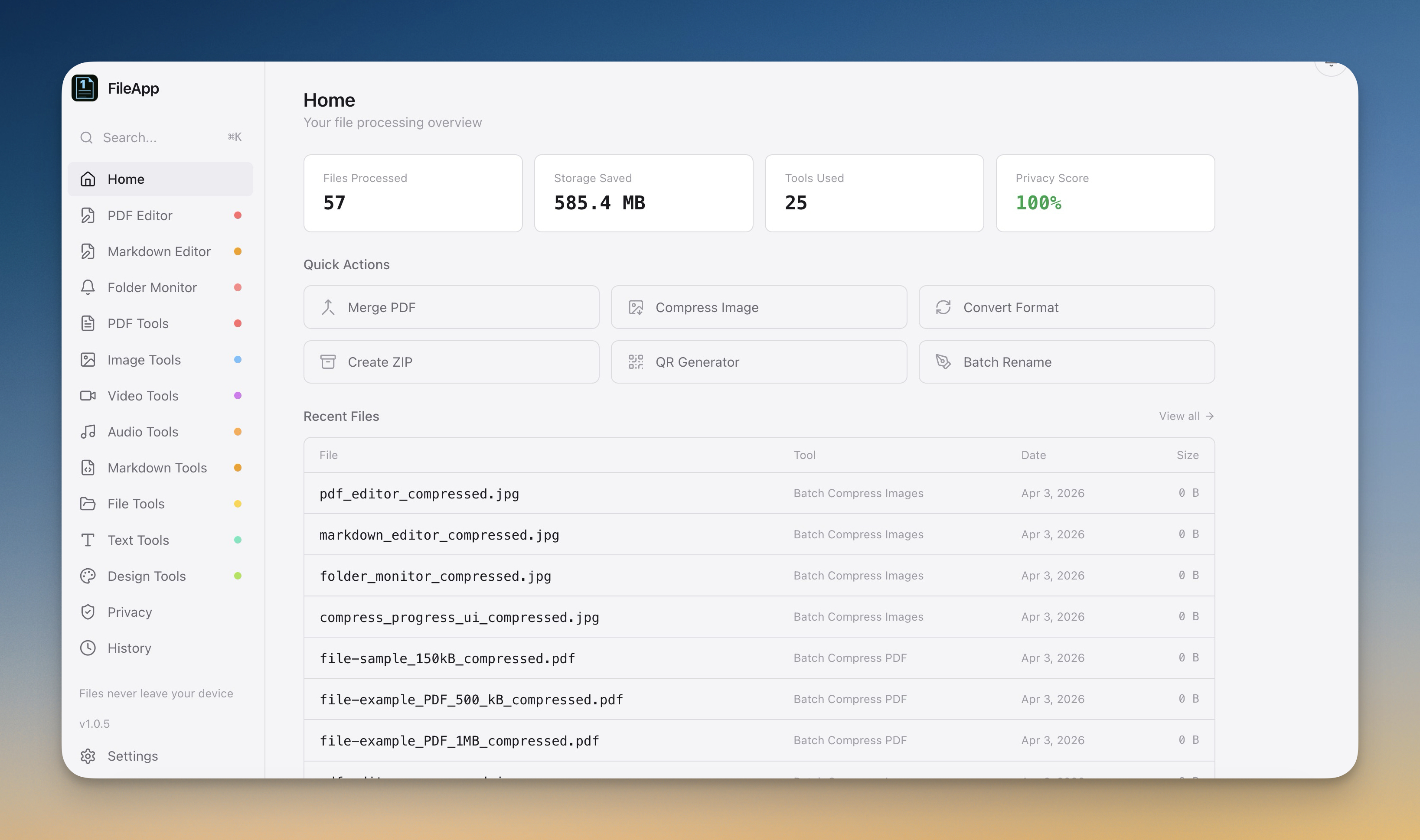
1FileTool is a native desktop application for macOS, Windows, and Linux. All processing happens on your local machine. Files never leave your computer, and the tool works perfectly with your internet disconnected.
This architectural difference influences every other aspect of the comparison.
Privacy and Data Handling
Smallpdf
Smallpdf encrypts files during transfer and states that files are deleted from their servers after a processing window. However, their privacy policy allows file retention for up to 14 days. During this period, your documents exist on servers in a data center you cannot inspect.
Smallpdf also collects analytics data including usage patterns, file types processed, and standard web tracking information. If you use the free tier, you may see ads, which involves additional third-party tracking.
1FileTool
1FileTool collects no data. There are no servers to retain files on because there are no servers. Files exist on your local disk before and after processing. There is no analytics, no tracking, no telemetry. The application does not even require an internet connection after installation (except for a one-time license activation for Pro users).
For anyone handling confidential documents, client data, or files covered by regulations like GDPR or HIPAA, the difference here is significant. Local processing eliminates the compliance question entirely.
Pricing
Smallpdf
Smallpdf offers a limited free tier and a Pro subscription at approximately $12 per month (billed annually at $108/year, or $15 month-to-month). The free tier restricts you to two tasks per day and includes ads.
Over common ownership periods:
- 1 year: $108 to $180
- 3 years: $324 to $540
- 5 years: $540 to $900
1FileTool
1FileTool has a free tier that includes all 245+ tools with a limit of 8 files per day. No ads.
Pro licenses are one-time payments:
- 1 device: $29
- 3 devices: $78
- 5 devices: $116
Over the same periods:
- 1 year: $29 to $116
- 3 years: $29 to $116 (same, because it is one payment)
- 5 years: $29 to $116
The cost difference is stark. A single-device 1FileTool license costs less than three months of Smallpdf Pro.
Feature Comparison
Scope
Smallpdf focuses primarily on PDF operations with some image and office document conversion tools. It covers approximately 20 to 25 distinct operations.
1FileTool covers 8 categories with 245+ tools:
- PDF Tools (39): Merge, split, compress, convert, encrypt, decrypt, redact, watermark, annotate, form fill, page numbers, and more.
- Image Tools (37): Compress, resize, convert, crop, rotate, EXIF strip, format conversion across JPG, PNG, WebP, GIF, SVG, and more.
- Video Tools (25): Compress, convert, trim, merge, extract audio, GIF creation, and format conversion across MP4, MOV, AVI, MKV, and more.
- Audio Tools (16): Convert, trim, merge, volume adjustment, normalization, and format conversion across MP3, WAV, FLAC, AAC, and more.
- File Tools (23): ZIP/extract, batch rename, duplicate finder, CSV/Excel conversion, and file management utilities.
- Text Tools (30): Character counter, case conversion, encoding/decoding, hashing, diff comparison, and text processing utilities.
- Design Tools (14): QR code generation, barcode creation, favicon generation, color utilities, OG image creation.
- Privacy Tools (4): File shredder, metadata remover, EXIF stripper, secure delete.
Smallpdf does what it does well, but 1FileTool covers substantially more ground. If you regularly work with video, audio, or text processing in addition to PDFs and images, you would need several different online tools to match what 1FileTool bundles into one app.
Batch Processing
Smallpdf supports batch operations on its Pro tier for some tools. However, batch size is limited by upload bandwidth and server-side processing queues.
1FileTool supports batch processing for all applicable tools with no file count limits (on the Pro tier). Drop 10 files or 1,000 files. Processing happens locally at hardware speed.
Folder Monitoring
Smallpdf does not offer automated folder watching.
1FileTool includes a folder monitoring feature that lets you point the app at any folder and assign a tool. New files that appear in that folder are automatically processed without manual intervention.
Speed
Cloud tools are fundamentally limited by network speed. Even on a fast connection, the upload-process-download cycle adds latency to every operation.
Local tools process at hardware speed. A modern laptop can merge, compress, or convert files in seconds without any network overhead. The difference is most noticeable with larger files (videos, high-resolution images) and batch operations.
For a single small PDF merge, the difference might be negligible. For compressing 50 images or converting a batch of video files, local processing is dramatically faster.
Offline Availability
Smallpdf requires an internet connection for all operations. No internet, no processing.
1FileTool works entirely offline after installation. You can process files on a plane, in a coffee shop with no wifi, or in an air-gapped environment. This is not just a convenience feature. It is a requirement for some security-sensitive workflows.
Platform Support
Smallpdf works in any web browser on any platform. This is a genuine advantage of the web model.
1FileTool provides native applications for macOS (Apple Silicon and Intel), Windows (64-bit), and Linux (64-bit). All three platforms include the full toolset with identical functionality.
Who Should Use Which?
Smallpdf is a reasonable choice if you occasionally need to process a PDF, you are always connected to the internet, you do not handle sensitive documents, and you prefer not to install software.
1FileTool is the better choice if you process files regularly, you work with more than just PDFs, you handle confidential or regulated documents, you want to avoid subscription costs, you need batch processing at scale, or you need to work offline.
The Bottom Line
Smallpdf built a popular service by making online file processing easy. But the cloud model that enables that convenience also introduces privacy exposure, ongoing subscription costs, and dependency on internet connectivity.
1FileTool provides comparable PDF functionality and dramatically more breadth across images, video, audio, text, design, and privacy tools. It does this without ever touching your files to a server, and it costs less than three months of a Smallpdf subscription.
If you are evaluating alternatives to Smallpdf, iLovePDF, or Adobe Acrobat Online, download the free version of 1FileTool and try it with your actual workflow. All 245+ tools are available on the free tier with up to 8 files per day.