Running your own VPS used to mean memorizing Nginx configs, wrestling with systemd services, and hoping your SSL certificates renewed on time. In 2026, a new generation of tools has made self-hosting dramatically more accessible – but the options differ in important ways that directly affect your costs, your server performance, and how much control you actually have.
This guide breaks down the best VPS management tools for indie hackers, side-project builders, and small teams who want deployment convenience without PaaS pricing.
What Indie Hackers Actually Need
Before comparing tools, let us define what matters for solo developers and small teams:
- Low cost – You chose a VPS to save money. Your management tool should not eat into those savings.
- Resource efficiency – On a $5-10 VPS, every megabyte of RAM counts. The tool should not compete with your apps for resources.
- Docker support – Most modern apps ship as containers. First-class Docker support is non-negotiable.
- SSL and domains – Automatic HTTPS and straightforward domain management save hours of configuration.
- Deployment speed – Push code, see it live. Minimal friction between commit and production.
With that criteria in mind, here are the top options in 2026.
1. Server Compass – Best Overall for Indie Hackers
Type: Desktop application (macOS, Windows, Linux) Price: $29 one-time Website: servercompass.app
Server Compass takes a fundamentally different approach from every other tool on this list. It runs on your laptop, not your server. Every operation happens over direct SSH connections – nothing gets installed on your VPS beyond Docker and a Traefik reverse proxy.
What makes it stand out:
- 247+ Docker templates – Deploy PostgreSQL, Redis, WordPress, Ghost, Supabase, n8n, Plausible, and hundreds more with pre-configured compose files
- GitHub integration – OAuth-based repo selection, branch deploys, and auto-deploy on push via GitHub Actions
- Zero-downtime deployments – Blue-green strategy with automatic health checks and instant rollback
- Auto-SSL – Let’s Encrypt certificates provisioned and renewed automatically
- Built-in SSH terminal and file browser – No need to open a separate terminal application
- Database management – Query, browse, import, and export data with a visual interface
- Cron job management – Visual scheduler with templates instead of editing crontabs manually
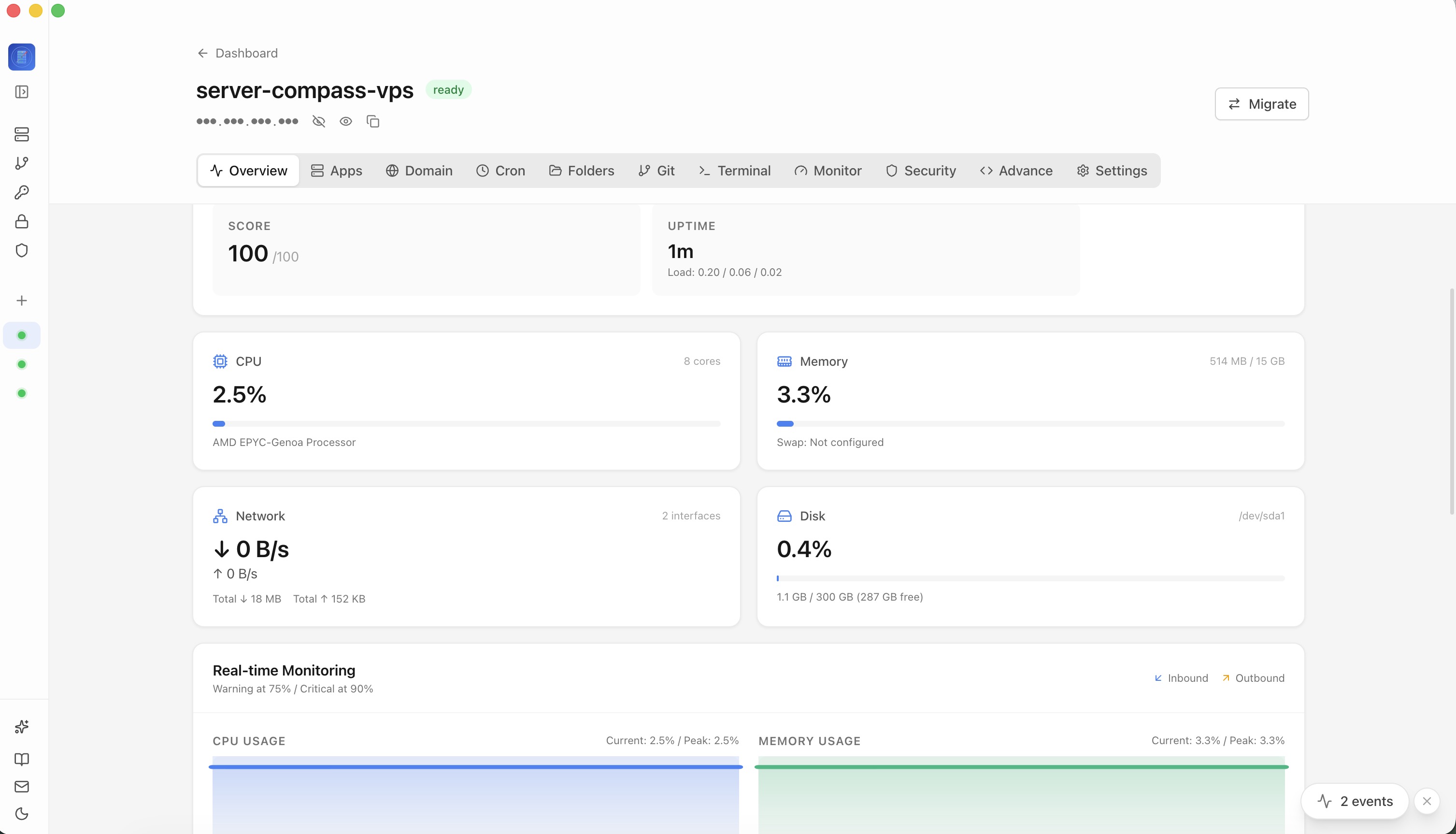
- Monitoring and alerts – Lightweight agent for CPU, memory, and disk tracking with configurable alert rules
- Security – AES-256-GCM encrypted credentials stored in your OS keychain, security audits, Fail2Ban management
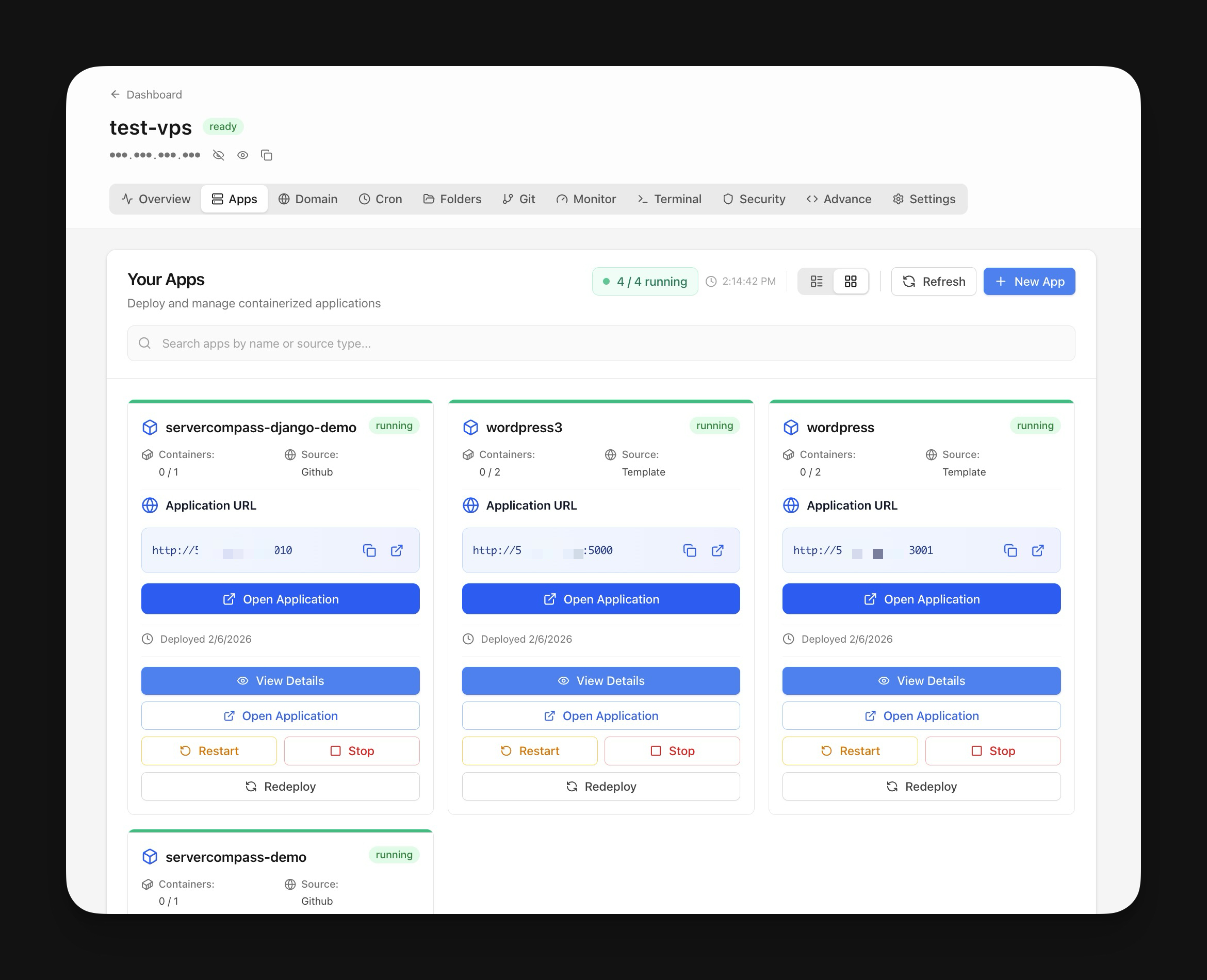
Why indie hackers love it: Your $5 VPS runs only your apps. No dashboard consuming RAM in the background. The one-time $29 price means no monthly drain on your indie budget, and the tool pays for itself in the first month compared to any PaaS.
Trade-off: Requires your laptop to be open for deployments (unless you set up GitHub Actions for auto-deploy). No web dashboard for mobile access.
2. Coolify – Best Open-Source Self-Hosted Option
Type: Self-hosted web dashboard Price: Free (open source) / Cloud hosted from $5/month Website: coolify.io
Coolify is the most popular open-source PaaS alternative and for good reason. It provides a Vercel-like experience on your own server with support for multiple languages, databases, and services.
Strengths:
- Fully open source with an active community
- Supports Docker, Docker Compose, and buildpacks
- Built-in database management
- Webhook-based auto-deployments
- Multi-server support
Trade-off for indie hackers: Coolify installs a web dashboard and supporting services on your VPS. On a 1GB RAM server, this overhead is meaningful. You are trading VPS resources for management convenience, and the dashboard itself becomes another thing to secure and maintain.
3. Dokploy – Lightweight Self-Hosted Alternative
Type: Self-hosted web dashboard Price: Free (open source) Website: dokploy.com
Dokploy positions itself as a lighter alternative to Coolify with a cleaner interface and smaller footprint. It handles Docker deployments, database provisioning, and SSL management through a web UI.
Strengths:
- Simpler interface than Coolify
- Lower resource overhead than Coolify (though still server-resident)
- Good Docker Compose support
- Active development
Trade-off: Still runs on your server. Smaller community and ecosystem than Coolify. Fewer templates and integrations.
4. CapRover – The Veteran Self-Hosted PaaS
Type: Self-hosted web dashboard Price: Free (open source) Website: caprover.com
CapRover has been around longer than most alternatives and offers a mature, stable platform for deploying apps via Docker. It uses a captain-definition file format and supports one-click app installs.
Strengths:
- Battle-tested and stable
- One-click apps marketplace
- Built-in Nginx and Let’s Encrypt management
- Good documentation
Trade-off: The interface feels dated compared to newer tools. Resource usage on your VPS is noticeable. Development pace has slowed compared to Coolify and newer entrants.
5. RunCloud – Managed Panel for PHP and Traditional Apps
Type: Cloud-hosted management panel Price: From $8/month Website: runcloud.io
RunCloud is a cloud-based server management panel focused on PHP applications, WordPress, and traditional web hosting. It installs an agent on your server and manages it through a web dashboard.
Strengths:
- Excellent PHP and WordPress management
- Server-level firewall management
- Staging environments
- Good for agencies managing client sites
Trade-off: Monthly subscription adds to your costs. Focused on PHP/traditional stacks rather than Docker-native workflows. Less suitable for modern Node.js, Python, or Go applications.
6. Ploi – Developer-Focused Cloud Panel
Type: Cloud-hosted management panel Price: From $8/month Website: ploi.io
Similar to RunCloud but with a more developer-focused approach. Ploi handles server provisioning, app deployment, SSL, and database management through a clean web interface.
Strengths:
- Clean, modern interface
- Good Laravel and PHP support
- Built-in monitoring
- Team collaboration features
Trade-off: Monthly subscription. Agent-based architecture means another service running on your server. Docker support exists but is not the primary focus.
Side-by-Side Comparison
| Feature | Server Compass | Coolify | Dokploy | CapRover |
|---|---|---|---|---|
| Runs on | Your desktop | Your server | Your server | Your server |
| Price | $29 one-time | Free | Free | Free |
| Server overhead | None | Medium-High | Medium | Medium |
| Docker templates | 247+ | 50+ | 30+ | 100+ |
| Auto-SSL | Yes | Yes | Yes | Yes |
| Zero-downtime | Yes | Yes | Limited | No |
| GitHub integration | OAuth | Webhook | Webhook | CLI |
| SSH terminal | Built-in | Web-based | Web-based | No |
| File browser | Built-in | No | No | No |
| Database UI | Built-in | Basic | Basic | No |
| Cron management | Visual | Basic | No | No |
| Offline access | Yes | No | No | No |
Which One Should You Pick?
Choose Server Compass if you want maximum value from your VPS resources, prefer a one-time payment over monthly fees, and are comfortable with a desktop-first workflow. It is the most feature-dense option for the lowest long-term cost.
Choose Coolify if you want a fully open-source solution, need a web-accessible dashboard for team access, and have a VPS with enough RAM (2GB+) to spare for the management overhead.
Choose Dokploy if you want something lighter than Coolify but still need a server-resident web dashboard.
Choose CapRover if you want proven stability and a one-click app marketplace, and do not mind a less modern interface.
Choose RunCloud or Ploi if you primarily manage PHP/WordPress sites and want a managed experience with team features.
The Bottom Line
For indie hackers in 2026, the sweet spot is clear: a $5-10 VPS paired with a tool that does not eat into those resources. Server Compass is the only option that achieves zero server overhead because it runs entirely on your desktop. At $29 one-time, it costs less than two months of the cheapest cloud panel subscription – and your VPS stays dedicated to running your actual projects.
Whatever you choose, the days of paying $200/month for Vercel or Railway to deploy a side project are over. Self-hosting has never been this accessible.