Self-hosting has a perception problem. Mention it to most developers and they picture late nights debugging Nginx configs, expired SSL certificates breaking production at 2 AM, and the quiet dread of running apt upgrade on a server with no rollback plan.
That perception was accurate five years ago. It is not anymore.
The tools have changed, but more importantly, the architecture of those tools has changed. And the most significant shift is one that most developers have not noticed yet: server management is moving from the cloud to the desktop.
Why Self-Hosting Keeps Getting More Popular
Three forces are driving developers toward self-hosting in 2026:
Cost pressure. A side project on Vercel Pro costs $20/month per team member. Add a database, exceed the bandwidth tier, and you are looking at $50-100/month for something that could run on a $5 VPS. Indie hackers and bootstrapped startups are doing the math and making the switch.
Data sovereignty. GDPR, emerging AI data regulations, and general privacy awareness are pushing teams to control where their data lives. Self-hosting on a VPS in your preferred region solves this at the infrastructure level.
Vendor independence. Every month brings another story about a platform changing pricing, deprecating features, or going down for hours. When you own the server, platform risk drops to zero. Your deployments are not dependent on anyone else’s uptime or business decisions.
The Old Way: Server-Resident Dashboards
The first wave of self-hosting tools (Coolify, Dokploy, CapRover) tried to recreate the PaaS experience by installing a web dashboard on your VPS. This works, but it comes with inherent tradeoffs:
- Resource competition. The management dashboard, its database, and supporting services consume RAM and CPU that your apps need. On budget VPS instances, this overhead is not trivial.
- Security surface. A web-facing dashboard with authentication is another entry point to defend on your production server.
- Always-on cost. The management software runs 24/7 whether you are deploying or not.
These tools solved a real problem, but their architecture forces a compromise between management convenience and server efficiency.
The New Way: Desktop-First Management
What if the management tool ran on your computer instead of your server?
This is not a theoretical question. Server Compass proved the concept and refined it into a full-featured product. The architecture is simple: a native desktop application connects to your VPS over SSH, performs operations, and disconnects. Your server never knows the difference between Server Compass and you typing commands in a terminal – except Server Compass does it faster and without typos.
Here is what that means in practice:
Your Server Stays Clean
After deploying five apps through Server Compass, your VPS is running exactly five app containers plus a Traefik reverse proxy for routing and SSL. Nothing else. No management dashboard, no background database for the dashboard, no authentication layer for the dashboard. Every byte of RAM goes to your actual workloads.
Your Credentials Never Leave Your Machine
SSH keys, database passwords, API tokens – everything is encrypted with AES-256-GCM and stored in your operating system’s keychain (macOS Keychain, Windows Credential Manager, or Linux Secret Service). There is no cloud server in the middle routing your credentials.
Offline Access to Your Configuration
Because Server Compass stores your server configurations locally in SQLite, you can review your setup, plan deployments, and manage environment variables even without an internet connection. When you reconnect, everything syncs.
Vendor Independence Is Absolute
This is the point that matters most for long-term thinking. If Server Compass disappeared tomorrow, your VPS would not notice. Your apps keep running. Docker containers do not care which tool started them. Your Traefik configuration persists. Your SSL certificates keep renewing. You could switch to manual SSH management, another tool, or anything else with zero migration effort.
What “Simple” Actually Looks Like
Let me walk through three common self-hosting tasks to show what desktop-first simplicity means in practice.
Deploying a New App
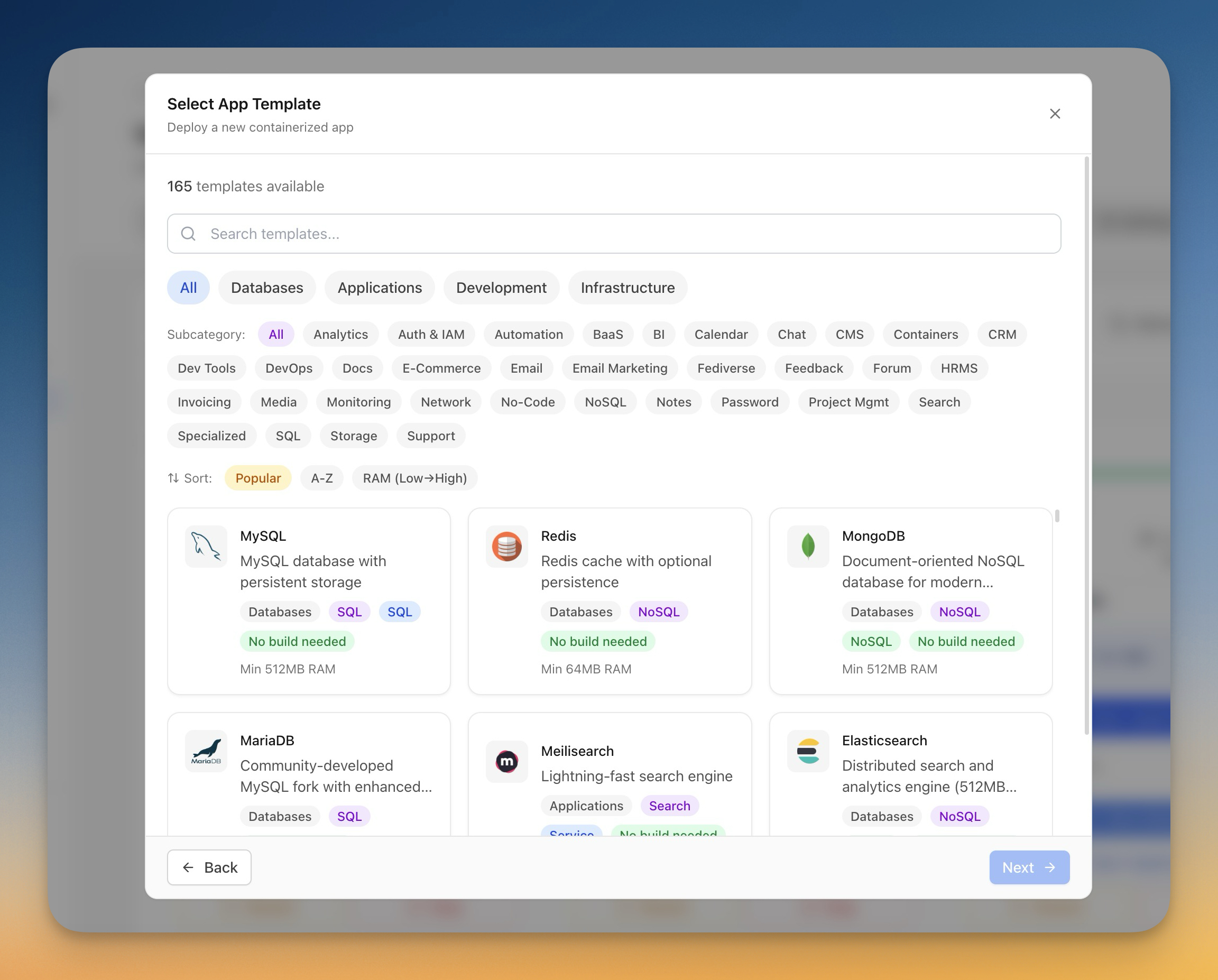
Open Server Compass, click “New App,” and choose your source: a GitHub repo, a Docker template, a registry image, or a local folder. For GitHub repos, OAuth lets you pick any repository (including private ones) without configuring deploy keys or webhooks.
The app detects your framework, generates an appropriate Dockerfile if needed, and lets you configure environment variables, domains, and build settings. Click deploy, and you get real-time build logs streamed to your desktop. The entire process takes two to five minutes.
Adding a Database
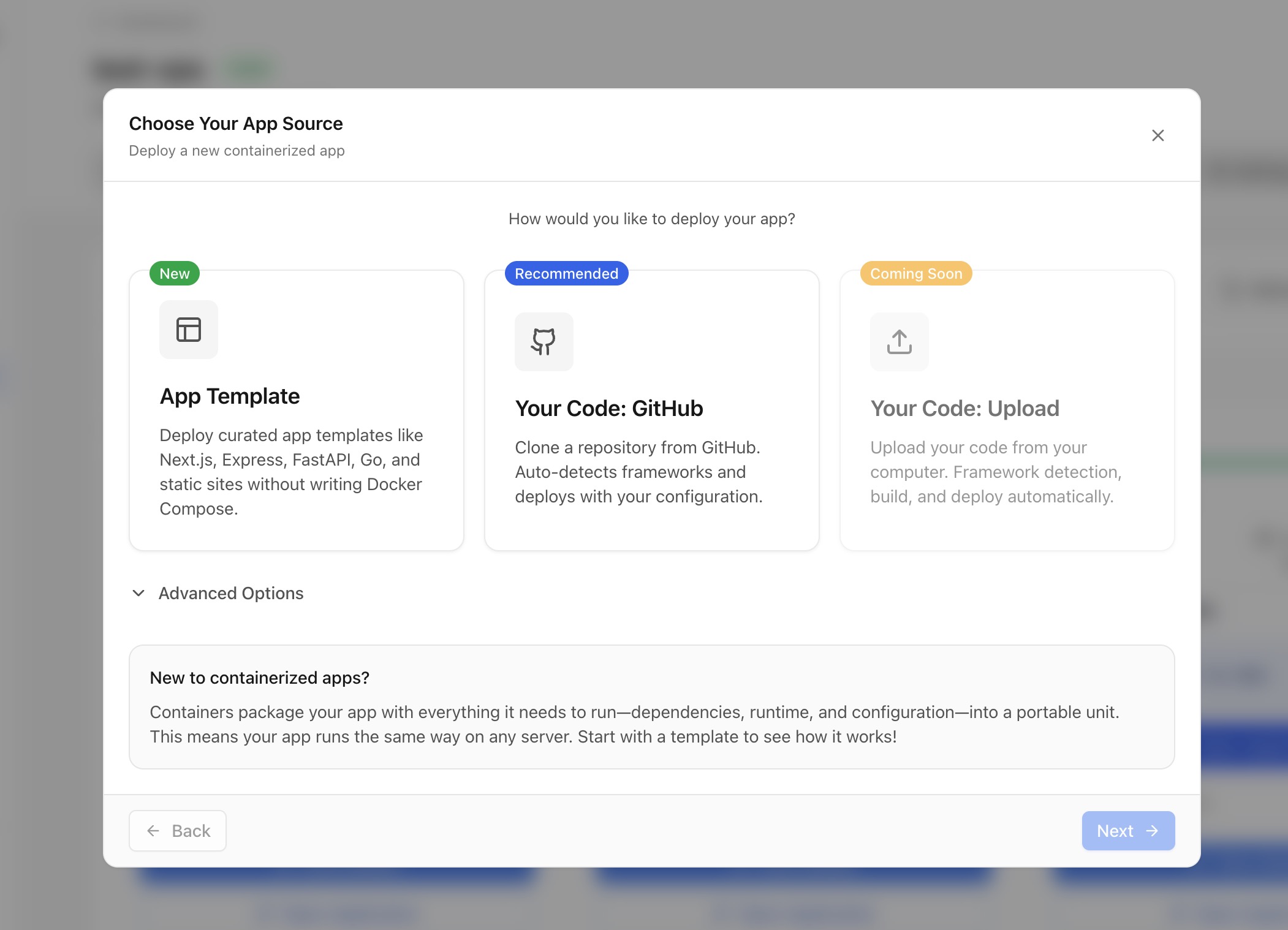
Click the templates tab, filter to databases, and pick from PostgreSQL, MySQL, MariaDB, MongoDB, Redis, Elasticsearch, ClickHouse, and dozens more. Each template comes pre-configured with persistent storage, sensible defaults, and post-deployment guidance. The built-in database management UI lets you run queries, browse tables, and import or export data without installing a separate database client.
Setting Up Monitoring
Server Compass includes a lightweight monitoring agent that you install on your VPS with one click. It tracks CPU, memory, disk, and network usage with configurable alert rules. Set a threshold (like “alert when disk usage exceeds 80%”), choose a notification channel (email or webhook), and you are covered. The monitoring data feeds into the desktop dashboard where you can see trends and correlate resource usage with deployments.
The Economics of Desktop-First Self-Hosting
Let us compare a typical indie hacker setup across three approaches:
Vercel/Railway approach:
- Platform: $20-60/month
- Database: $15-25/month (managed)
- Monitoring: $10-20/month (Datadog/similar)
- Total: $45-105/month ($540-1,260/year)
Self-hosted with Coolify:
- VPS (2GB+ for Coolify overhead): $10-20/month
- Coolify: Free
- Total: $120-240/year
- Trade-off: Management dashboard consuming resources
Self-hosted with Server Compass:
- VPS (1GB is enough): $5-10/month
- Server Compass: $29 one-time
- Total: $89-149 first year, $60-120/year after
- Trade-off: Requires desktop for management (unless using GitHub Actions auto-deploy)
The Server Compass approach costs 85-90% less than the PaaS route in year one and the gap widens every subsequent year.
Who Should Self-Host in 2026?
Self-hosting is no longer just for ops-savvy developers. With desktop-first tools, it is practical for anyone who:
- Runs side projects or indie SaaS products
- Wants to control their infrastructure costs
- Needs data sovereignty for regulatory compliance
- Manages client projects and wants predictable billing
- Simply prefers owning their stack
The barrier to entry is a $5 VPS and a desktop app. That is it. No Linux expertise required. No Nginx configuration files. No manual SSL certificate management.
Getting Started
If you have been on the fence about self-hosting, 2026 is the year the tools caught up with the idea. Server Compass offers a free tier to test with one server and one deployment. The full license is $29 one-time, runs on macOS, Windows, and Linux, and comes with a year of free updates.
The most common reaction from developers who make the switch is not about the money they save. It is about how much simpler it turned out to be than they expected.